
Is Jackery Explorer 300 Plus Worth the Upgrade?
Compare jackery portable power station explorer 300 vs 300 Plus by battery, ports, charging, and value.
If you are choosing between the Jackery Explorer 300 and Explorer 300 Plus, the first thing to check is not the brand or the size, but how often you will actually use it. The Explorer 300 is the better budget pick for occasional camping, road trips, and basic backup charging. The Explorer 300 Plus makes more sense if you want a longer-life battery, easier USB-C charging, and a power station you expect to use regularly.
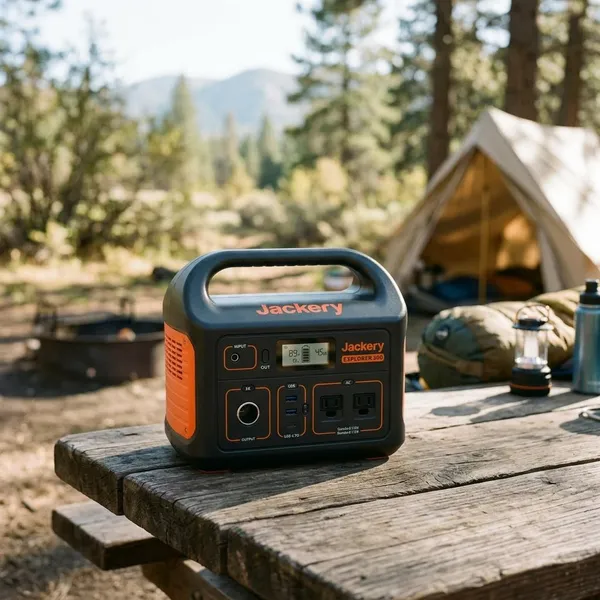
Jackery Explorer 300 The Lower-Cost Option
| Jackery Explorer 300 Specifications | |
|---|---|
| Battery Capacity | 293Wh Lithium-ion |
| AC Output | 2 × 110V AC outlets, 300W rated / 500W peak, pure sine wave |
| USB Output | 1 × USB-C PD 60W, 1 × USB-A, 1 × Quick Charge 3.0 |
| DC Output | 1 × 12V car port, up to 10A |
| Recharging Options | Wall outlet, car charger, solar panel, USB-C |
| Solar Input | Compatible with Jackery SolarSaga panels, up to 90W input |
| Recharge Time | Approx. 4.5 hours by wall outlet; approx. 5 hours by 100W solar panel |
| Dimensions | 9.1 × 5.2 × 7.8 in / 23 × 13.3 × 19.9 cm |
| Weight | Approx. 7.1 lb / 3.2 kg |
| Best For | Camping, road trips, emergency backup, small electronics |
Lightweight for Camping and Road Trips
Portability is one of the Explorer 300’s strongest points. A smaller power station is easier to throw in the car for a weekend campsite, keep near the back seat on a road trip, or carry from a closet during a short outage.
For occasional outdoor use, that matters more than many spec sheets suggest. If the unit feels too bulky, it tends to stay at home. The Explorer 300 is the kind of size that fits better into casual trips where you are already packing food, water, bedding, and other gear.
Enough Capacity for Phones Laptops and Lights
- Phones and tablets for communication and navigation
- Laptops for short work sessions or school use
- LED lights, camera batteries, and small fans
- Routers or modems during a short home outage
Multiple Outlets for Charging Several Devices
The Explorer 300 gives you more flexibility than a large power bank because you can charge several small devices at once. At a campsite, that might mean one person charging a phone while another tops off a camera battery and an LED lantern stays plugged in.
During a power cut, the same feature becomes more practical than it looks on paper. You may want a router, phone, and light running at the same time instead of constantly swapping cables. Just remember that every connected device pulls from the same battery, so multiple outputs do not mean unlimited runtime.
Wall Car and Solar Charging Support
Wall charging is the easiest option before a trip or storm, car charging is useful while driving, and solar support gives you a way to recover some power away from outlets. Solar is helpful on longer camping trips, but it should be treated as weather-dependent backup rather than a guaranteed refill.
Best for Devices Under 300 Watts
The 300W AC output limit is the key boundary. If a device needs more than that while running, or has a startup surge above what the unit can handle, the Explorer 300 is not a good match.
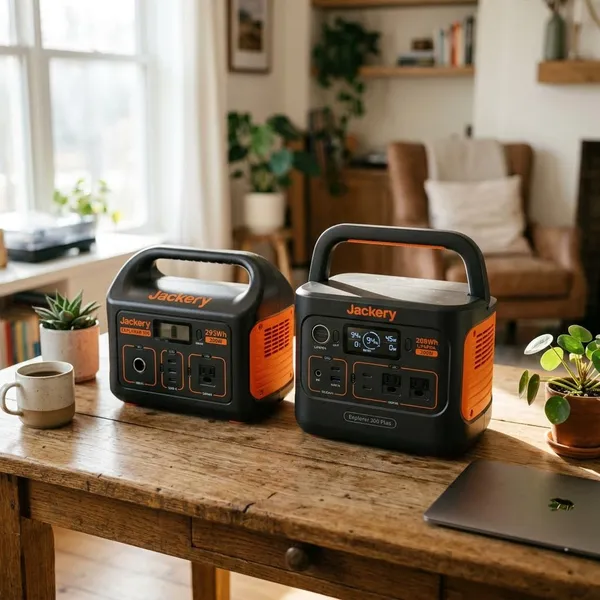
Jackery Explorer 300 Plus The Better Long-Term Choice
| Product | Jackery Explorer 300 Plus |
|---|---|
| Battery Capacity | 288Wh |
| Battery Type | LiFePO4 |
| AC Output | 300W rated, 600W surge |
| USB-C Output | Up to 100W |
| Car Port | 12V/10A |
| Solar Input | Up to 100W |
| Weight | Approx. 8.3 lbs / 3.75 kg |
| Dimensions | Approx. 9.1 x 6.1 x 6.6 in |
LiFePO4 Battery for a Longer Service Life
The biggest reason to move up to the Explorer 300 Plus is its LiFePO4 battery. This chemistry is generally preferred for repeated charging cycles, so it is a better fit for people who expect regular use instead of a few emergency outings per year.
USB-C Charging for Modern Devices
USB-C is a practical upgrade if your laptop, phone, tablet, gaming handheld, or camera accessories already use it. You can often pack fewer wall bricks and adapters, which makes the 300 Plus feel cleaner for travel and desk use.
App Control for Easier Power Management
App control does not increase the wattage, but it can make the 300 Plus easier to live with. Checking battery status from your phone is convenient when the unit is under a desk, in the back of a vehicle, or tucked inside a tent vestibule.
Compact Design for Outdoor Use
The 300 Plus keeps the compact feel that makes this category useful. It is still small enough for car camping, small apartments, RV storage, and quick backup use around the house.
Better Value for Frequent Use
- You use a power station weekly or monthly.
- Your main devices charge by USB-C.
- You want better long-term battery cycle life.
- You like monitoring power use from an app.
- You would rather pay more now than replace sooner later.
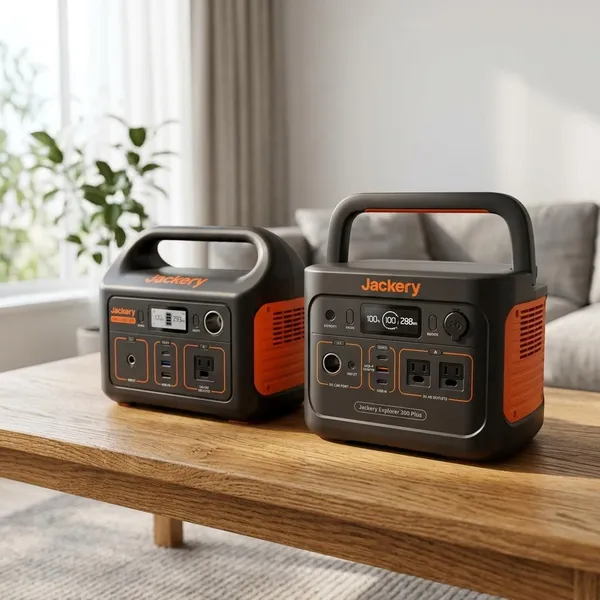
Explorer 300 vs 300 Plus
| Choose this model | Best fit | Main reason |
|---|---|---|
| Explorer 300 | Occasional camping, road trips, short outages | Lower upfront cost for basic device charging |
| Explorer 300 Plus | Frequent travel, regular backup use, modern devices | LiFePO4 battery, USB-C convenience, app control |
Similar Capacity for Light Power Needs
Both models are meant for the same general job: keeping small electronics powered. For phone charging, laptop top-ups, LED lights, camera batteries, and basic router backup, either one can be enough.
The Same 300W AC Output Limit
- Usually fine: phones, laptops, routers, cameras, LED lights, small fans, drone chargers.
- Check carefully: CPAP machines, mini fridges, monitors, pumps, or anything with startup surge.
- Usually not sensible: heaters, kettles, coffee makers, hot plates, hair dryers, and most cooking gear.
Longer Battery Life from the Explorer 300 Plus
The Explorer 300 Plus has the stronger long-term battery story because of its LiFePO4 chemistry. That makes it more appealing if you expect many charge and discharge cycles over the years.
More Modern Charging on the Explorer 300 Plus
The 300 Plus feels more current because USB-C fits today’s devices better. If your laptop and phone already use USB-C, this upgrade can remove extra adapters from your bag and make charging simpler.
Lower Upfront Cost from the Explorer 300
The Explorer 300 wins when the budget is tight and your expectations are realistic. If you only need a compact station for a few weekends a year or for basic outage charging, paying extra for the Plus may not be necessary.
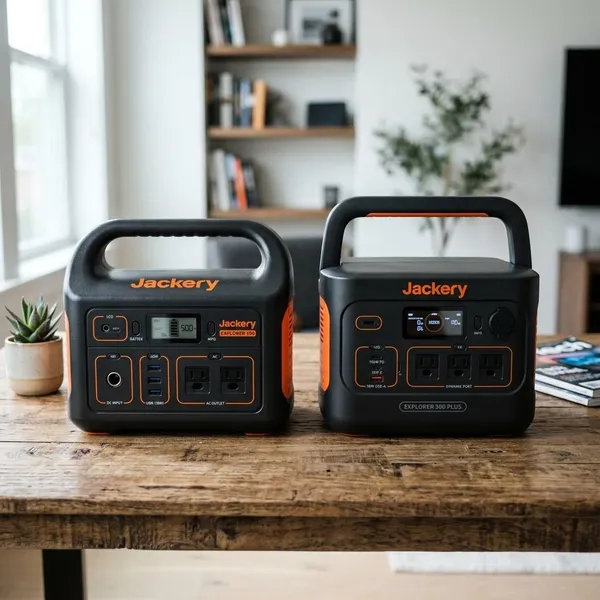
Conclusion
Buy the Explorer 300 if you want the cheaper, simple option for light and occasional power needs. Buy the Explorer 300 Plus if you expect regular use, rely on USB-C devices, or care more about long-term battery life than the lowest price. Either way, the smartest first step is to list the devices you actually need to run and remove anything that pushes beyond a 300W-class power station.