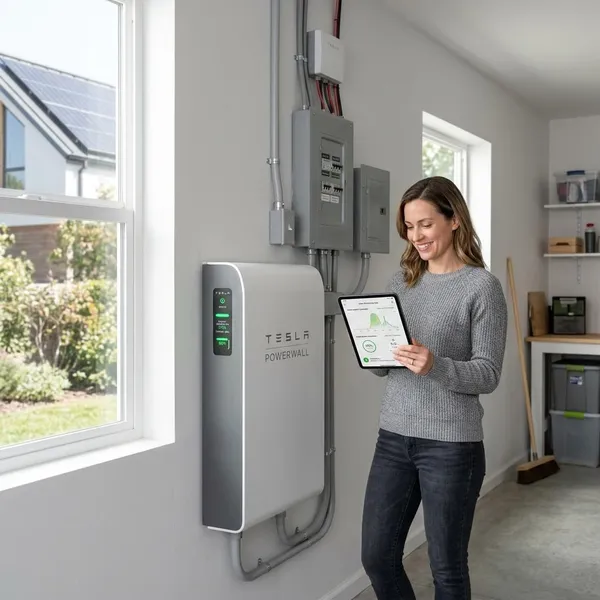
Best Solar Battery Backup System for Home with Top Options and Costs
Compare the best solar battery backup system for home use, including top options, costs, and sizing tips. Read more and compare now.
The best solar battery backup system for home use is the one that matches your outage plan first, not the biggest battery on the spec sheet. If you want a strong all-around pick, Tesla Powerwall 3 is the safest place to start comparing; if you want whole-home resilience, FranklinWH aPower 2 deserves a closer look; and if you already have Enphase or SolarEdge equipment, ecosystem fit may matter more than headline capacity.
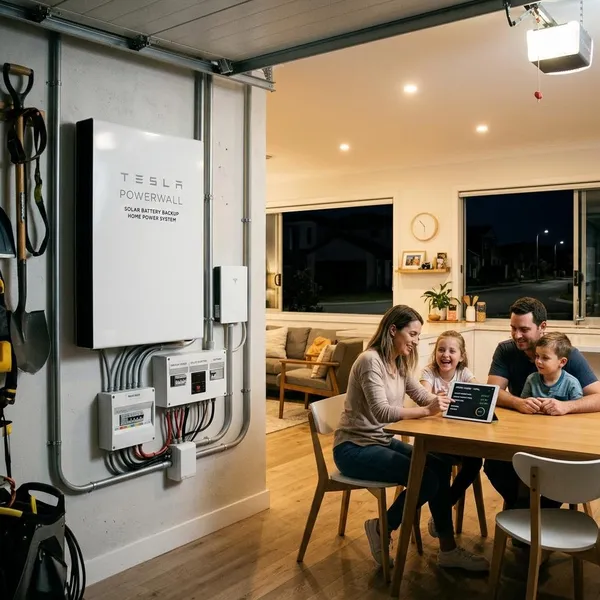
Best Solar Battery Backup Systems for Home
If you are choosing quickly, start with your real backup target: essentials only, most of the house, gradual expansion, lowest cost per kWh, or an upgrade to existing solar. A battery that is excellent for a new premium install may be a poor fit for a retrofit, and a value battery is only a bargain if the installer can support it well.
Best overall Tesla Powerwall 3
Tesla Powerwall 3 is the best overall choice for many new solar-plus-storage projects because it combines strong output, usable capacity, integrated inverter functionality, and a polished app experience. It is a good first quote to get if you want backup that feels practical without building a highly custom system.
Best for whole-home backup FranklinWH aPower 2
FranklinWH aPower 2 is the stronger pick when your goal is to keep more of the home running instead of protecting only a refrigerator, Wi-Fi, lights, and a few outlets. It makes the most sense for larger homes, homes with pumps, or households where outages are frequent enough to justify a more robust system.
Best modular system Enphase IQ Battery 5P
Enphase IQ Battery 5P is the cleanest modular choice, especially for homes already using Enphase microinverters. It lets you start smaller and add capacity later, which is useful if you are not ready to pay for a full backup system on day one.
Best value option EG4 PowerPro WallMount
EG4 PowerPro WallMount is worth considering if storage capacity per dollar is your top priority. The tradeoff is that you should be more careful about installer experience, inverter pairing, permitting, and warranty support before choosing it over a more mainstream consumer brand.
Best for existing solar upgrades SolarEdge Home Battery
SolarEdge Home Battery is usually most attractive when your current solar system already uses SolarEdge hardware. In that situation, staying inside the same platform can make installation, monitoring, and future troubleshooting simpler than mixing brands.
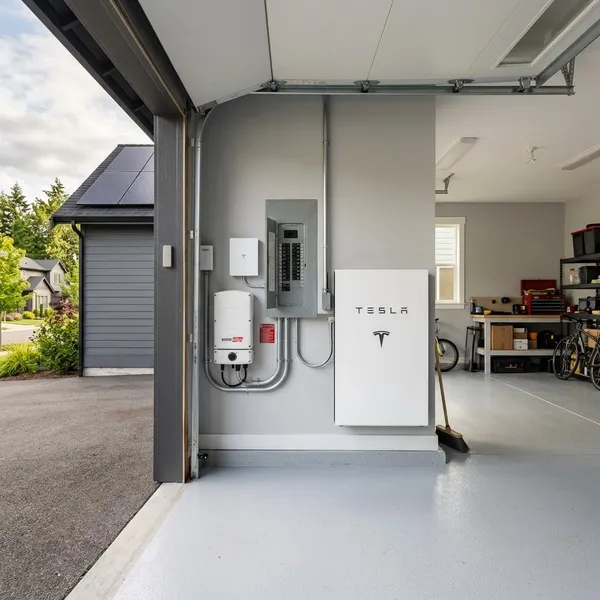
Best Overall Tesla Powerwall 3
Tesla Powerwall 3 is the easiest premium system to recommend as a starting point because it balances output, capacity, software, and broad installer familiarity. It is not automatically the cheapest option, but it is often one of the least confusing choices for a homeowner who wants a serious battery without piecing together a custom hardware stack.
Key specs and backup performance
Powerwall 3 is commonly listed with about 13.5 kWh of usable storage per unit and high continuous output for a residential battery. That output matters during an outage because starting a pump, microwave, or HVAC component can be harder on a battery than simply keeping lights and Wi-Fi online.
For a smaller household running essentials, one unit may be enough for useful overnight protection if usage is controlled. For a home that expects air conditioning, electric cooking, or longer outages, plan on multiple batteries and a proper load review rather than assuming one wall-mounted unit can carry everything.
Pros and cons
- Strong output: better suited to real household loads than many lighter backup batteries.
- Clean system design: the integrated approach can reduce wall clutter in new installs.
- Good user experience: monitoring is simple enough for non-technical homeowners.
- Market-dependent support: pricing, lead times, and service quality can vary by installer and region.
- Not always the cheapest: multiple units can push the project into premium territory quickly.
Who should choose it
Choose Powerwall 3 if you are installing new solar, want strong backup capability, and prefer a polished mainstream system over a more DIY-leaning or custom setup. It is especially sensible for a homeowner who wants more than emergency-only backup but does not want to manage a complex mix of components.
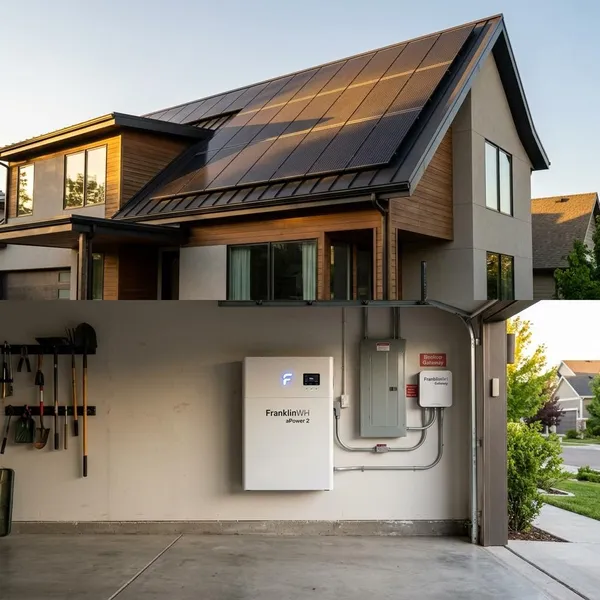
Best for Whole-Home Backup FranklinWH aPower 2
FranklinWH aPower 2 is aimed at homeowners who want backup power to feel closer to normal life. That does not mean every appliance can run carelessly forever, but it does mean the system is built for larger loads and more ambitious backup plans than a basic essential-circuit battery.
Key specs and backup performance
The aPower 2 sits in a larger-capacity residential battery class and is designed to work with home energy management hardware. Exact capacity, output, and configuration details should be confirmed with a current installer quote, but the practical appeal is clear: it is built for homes where load control and scalability matter.
A good scenario is a larger suburban home that wants refrigeration, internet, lights, garage access, a well or sump pump, and selected comfort loads protected during storm outages. In that type of home, the battery decision is less about one spec and more about whether the system can prioritize loads without constant homeowner intervention.
Pros and cons
- Whole-home orientation: better suited to broad backup coverage than smaller modular batteries.
- Scalable design: useful if your home may add an EV, more solar, or more electric appliances later.
- Load management value: helps prevent the system from being overwhelmed during outages.
- Higher project cost: usually overkill for a household that only wants basic essentials.
- Design quality matters: poor load planning can waste the benefits of a premium system.
Who should choose it
FranklinWH aPower 2 is best for larger homes, outage-prone areas, and households where losing pumps, refrigeration, or major circuits would create more than a minor inconvenience. If your plan is “keep the house mostly usable,” it belongs on the shortlist; if your plan is “keep the fridge cold for a few hours,” it is probably more system than you need.
Best Modular System Enphase IQ Battery 5P
Enphase IQ Battery 5P is the most practical choice for homeowners who want to build backup capacity in stages. Instead of making one large purchase upfront, you can start with a smaller battery bank and expand as your budget, outage experience, or energy goals change.
Key specs and backup performance
Each IQ Battery 5P is commonly listed at about 5 kWh of usable capacity. One unit is not a whole-home solution, but multiple units can be combined to increase both stored energy and power output.
This works well for a household that wants to protect essentials now and decide later whether air conditioning, laundry, or more kitchen circuits are worth adding to the backup plan. It is also a natural fit when the home already runs on Enphase microinverters and the owner wants one monitoring platform.
Pros and cons
- Easy staged expansion: start smaller instead of overbuying immediately.
- Excellent Enphase fit: monitoring and compatibility are cleaner inside the same ecosystem.
- Good for essential loads: practical for lights, Wi-Fi, refrigeration, and selected outlets.
- Can get expensive at scale: several units may be needed for whole-home ambitions.
- Not the simplest path for every retrofit: non-Enphase homes need a closer compatibility review.
Who should choose it
Pick Enphase IQ Battery 5P if you want modular growth, already have Enphase solar, or prefer a lower-risk path into battery storage. It is not the best choice if you already know you need large whole-home backup immediately and want the fewest battery units possible.
Best Value Option EG4 PowerPro WallMount
EG4 PowerPro WallMount appeals to homeowners who care more about usable storage and budget than brand polish. It can be a smart buy, but it asks more from the buyer: you need the right installer, the right inverter pairing, and a clear plan for warranty and service.
Key specs and backup performance
EG4 PowerPro WallMount models are often discussed as large-capacity, value-oriented lithium iron phosphate batteries. LFP chemistry is popular in home storage because it is generally valued for thermal stability and long cycle life, though the final safety and reliability of any system still depends on design and installation.
For an essential-load setup, the value case is simple: more stored energy can mean longer runtime for refrigerators, freezers, network gear, lights, and selected outlets. For a more complex home, do not judge it by battery capacity alone; confirm inverter output, surge handling, code compliance, and local support before treating the low cost per kWh as the deciding factor.
Pros and cons
- Strong storage value: attractive when you need more kWh without premium-brand pricing.
- LFP chemistry: a common choice for durable residential battery systems.
- Good for custom projects: useful when paired by an experienced installer.
- Support can vary: installer familiarity may be less consistent than with Tesla or Enphase.
- More due diligence required: warranty handling and service path should be clear before purchase.
Who should choose it
EG4 PowerPro WallMount is best for budget-conscious homeowners who are comfortable asking technical questions and working with an installer who has real experience with the platform. It is less ideal for someone who wants the most mainstream, hands-off consumer experience possible.
Best for Existing Solar Upgrades SolarEdge Home Battery
SolarEdge Home Battery is strongest as a retrofit choice for homes already using SolarEdge equipment. In an existing solar upgrade, compatibility can save more frustration than chasing the battery with the biggest number on the brochure.
Key specs and backup performance
SolarEdge Home Battery is designed to work inside the SolarEdge ecosystem, including compatible inverters, controls, and monitoring. Depending on the system design, it can provide backup power and daily energy management, but the exact backup behavior depends on the inverter, backup interface, panel setup, and local code requirements.
The main practical benefit is avoiding a mixed-brand puzzle. If your current SolarEdge system is working well, adding a battery from the same ecosystem may mean cleaner monitoring, easier installer support, and fewer communication issues later.
Pros and cons
- Best fit for SolarEdge homes: strong ecosystem match for compatible existing systems.
- Simpler monitoring: solar and battery data can stay in one familiar platform.
- Good retrofit logic: may avoid unnecessary replacement of working solar equipment.
- Less compelling from scratch: other batteries may offer stronger output or value in a new build.
- Compatibility must be checked: not every older SolarEdge setup will be battery-ready without added hardware.
Who should choose it
Choose SolarEdge Home Battery if your home already has compatible SolarEdge equipment and you want the cleanest path to adding storage. If you are starting from zero, compare it against full solar-plus-storage packages instead of assuming the ecosystem advantage still applies.
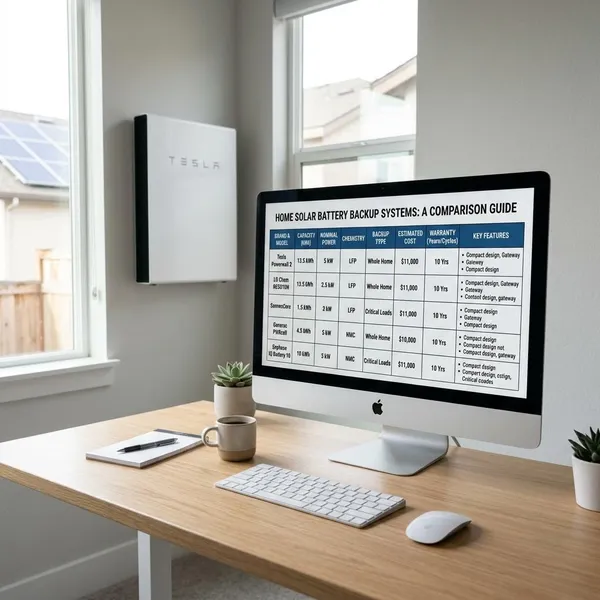
Solar Battery Backup System Comparison Table
A side-by-side comparison is useful, but do not choose from the table alone. Capacity affects runtime, output affects what can run at the same time, compatibility affects installation cost, and warranty terms affect long-term confidence.
Capacity, output, chemistry, warranty, and best use case
| System | Typical usable capacity | Backup strength | Chemistry | Typical warranty range | Best fit |
|---|---|---|---|---|---|
| Tesla Powerwall 3 | About 13.5 kWh per unit | High output for mainstream homes | Model-specific; commonly LFP in current discussions | Often around 10 years | New premium solar-plus-storage installs |
| FranklinWH aPower 2 | Larger residential battery class | Strong for broader home backup | Commonly listed as LFP | Confirm current terms by quote | Larger homes and whole-home planning |
| Enphase IQ Battery 5P | About 5 kWh per unit | Scales as units are added | LFP | Often longer than many competitors, depending on terms | Modular expansion and Enphase homes |
| EG4 PowerPro WallMount | Large for the price | Depends heavily on inverter pairing | LFP | Varies by seller and model terms | Lower-cost storage with careful installer selection |
| SolarEdge Home Battery | Mid-size residential battery class | Best inside compatible SolarEdge systems | Commonly LFP | Often around 10 years | Existing SolarEdge upgrades |
The fastest way to use this table is to eliminate poor fits first. If you already have SolarEdge, start there. If you already have Enphase, price an Enphase expansion. If you need whole-home backup, focus on output and load management before comparing cost per kWh.
How to Choose the Right Solar Battery Backup System
Choosing well starts with a load plan, not a brand list. Write down what must stay on during an outage, what would be nice to have, and what you can live without for a few hours.
Whole-home backup vs essential-load backup
Essential-load backup usually protects refrigeration, Wi-Fi, lights, phone charging, garage access, and a few outlets. It is often the best-value choice for short outages because you avoid paying to support heavy loads you may rarely need.
Whole-home backup is different. It has to handle large appliances, motor starts, and higher daily energy use. It can be worth it for a rural home with a well pump and frequent storms, but it may be unnecessary for an urban home that mainly wants silent overnight backup for basics.
Battery capacity and power output
Capacity tells you how long the battery may last; output tells you what it can run at once. A large battery with weak output can still disappoint if it cannot start the loads you care about.
- List must-run loads first: fridge, freezer, Wi-Fi, lights, medical devices, pumps, and key outlets.
- Mark heavy loads separately: central AC, electric heat, ovens, dryers, well pumps, and EV charging.
- Estimate runtime without solar: overnight backup needs a different size than a two-hour outage bridge.
- Ask about surge loads: motors and compressors can need more power at startup than while running.
- Decide what you will turn off: outage behavior can reduce battery size and cost dramatically.
Compatibility with your solar system
If you already have solar, ask whether your inverter is battery-ready, whether backup requires a new panel or gateway, and whether your installer supports the battery brand locally. This is where many “good deal” batteries become expensive: the extra hardware and labor can erase the savings.
For a new solar install, compare complete system designs rather than individual batteries. For a retrofit, ecosystem fit is often the safer first filter because it affects permitting, monitoring, troubleshooting, and expansion.
Warranty, safety, and monitoring features
Look beyond the warranty length. Ask about retained capacity, cycle limits, throughput limits, labor coverage, transferability, and what happens if a battery module fails after several years.
Safety is not just chemistry. A residential battery should be installed by a qualified professional under local electrical and fire codes, with the right clearances, disconnects, labeling, and approved equipment. Good monitoring also matters because it shows whether the battery is actually charging, discharging, and backing up the loads you expected.
Solar Battery Backup Costs and Incentives
Solar battery system cost varies widely because the battery is only one part of the project. Backup panels, gateways, inverter changes, wiring, permitting, labor, and load-management hardware can all change the final quote.
Equipment and installation cost factors
A single installed home battery can cost several thousand dollars, while larger whole-home systems can move far beyond that. New solar-plus-storage installs are often cleaner to design, while retrofits may need extra electrical work to make backup function properly.
- Number of batteries: the biggest driver of total cost.
- Backup scope: essential-load panels cost less than whole-home designs.
- Electrical upgrades: panel work, gateways, and load controls add labor and materials.
- Installer experience: cheaper equipment can cost more later if support is weak.
- Site complexity: long conduit runs, difficult mounting locations, or code constraints raise the price.
Tax credits, rebates, and utility incentives
In the United States, many qualifying residential batteries may be eligible for the federal clean energy tax credit, and some state, local, or utility programs offer additional rebates or demand-response payments. Rules can change, so treat incentive numbers in a quote as estimates until eligibility, timing, and application requirements are verified.
Ask each installer for both the gross project cost and the expected net cost after incentives. Also ask which incentives are guaranteed at purchase, which require approval, and which depend on future utility program funding.
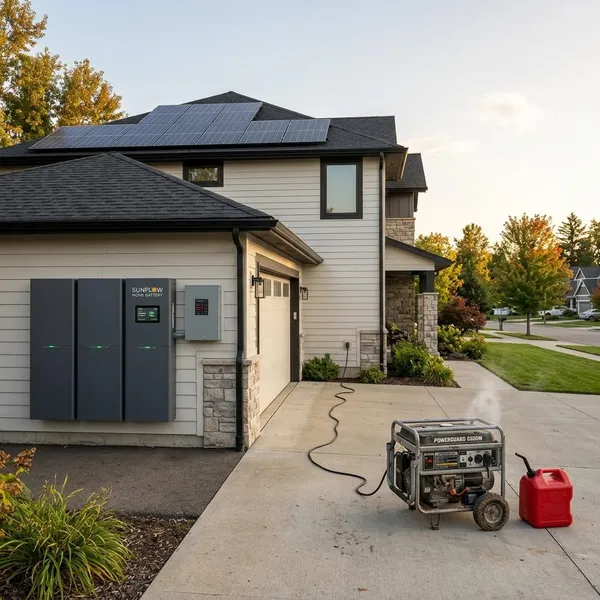
Solar Battery Backup vs Generator
A solar battery and a generator both provide backup power, but they fit different outage problems. A battery is quiet, automatic, and useful every day with solar; a generator is often better for very long outages with heavy loads if fuel is available.
Runtime, maintenance, noise, and fuel
A solar battery switches on quietly, needs little routine maintenance, and can recharge from solar during the day. Its weak point is finite stored energy: heavy loads such as central AC, electric heat, and cooking can drain it quickly.
A generator can run much longer if it has fuel, but it brings noise, emissions, maintenance, testing, and fuel planning. For a weekend cabin or rural home with multi-day outages, that tradeoff may be acceptable. For a neighborhood home with short outages and rooftop solar, a battery is often easier to live with.
Which option is better for your home
Choose a battery if you want silent automatic backup, lower maintenance, and daily use from stored solar energy. Choose a generator if your main concern is multi-day backup for large loads and you have a reliable fuel plan.
A hybrid setup can make sense for high-risk homes: the battery handles instant backup and normal daily cycling, while the generator covers rare extended outages. Most households do not need that complexity, but it is worth discussing if outages affect safety, water supply, or essential medical equipment.